
Walk with me lets one or more friends watch your live location while you walk somewhere, until you mark yourself as arrived. It is between you and your friends: campus security does not monitor it unless you send an SOS.
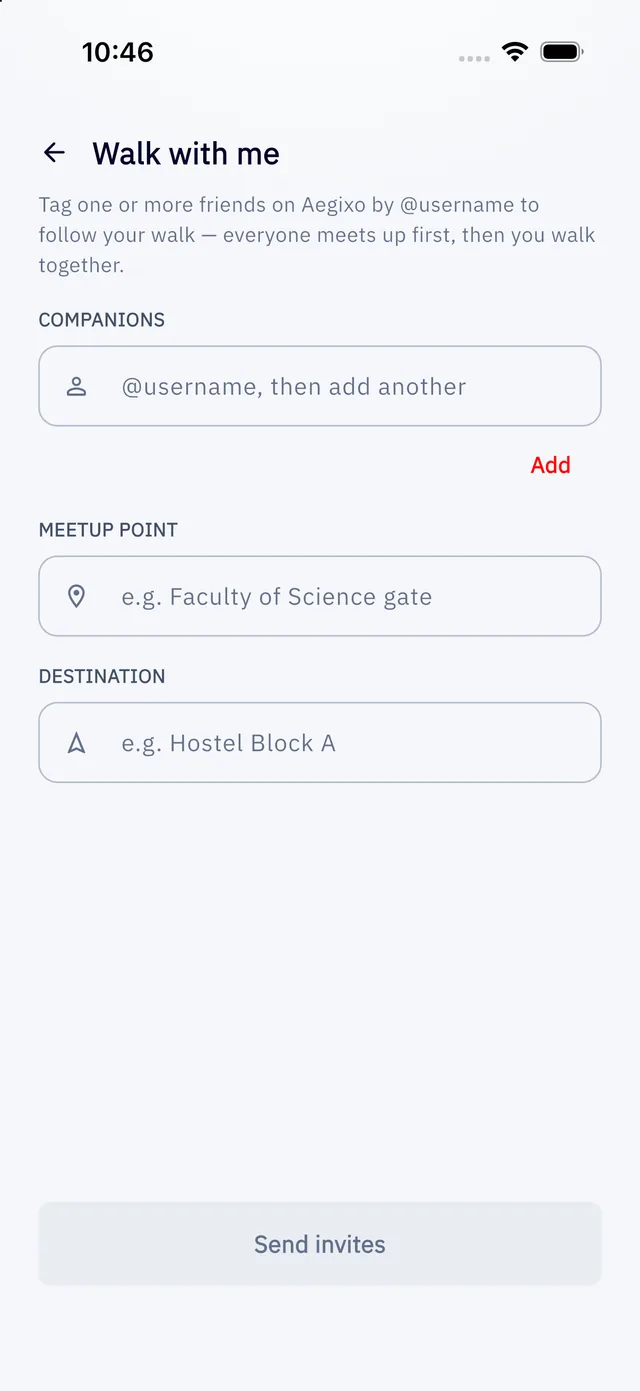
Start a walk
- On Home, tap Walk with me, then Start.
- Add one or more friends by their @username (tap Add after each).
- Optionally add a meetup point and a destination.
- Tap Send invites.
What happens next
- Each friend gets a notification and can accept or decline.
- Everyone who accepted meets up and taps to confirm they are there.
- Once everyone has confirmed, the walk becomes active and live positions are shared between the people in it.
- When you arrive, the person who started the walk taps I have arrived safely to end it.
If something feels wrong
Tap Something feels wrong: send SOS on the walk screen. That sends a real SOS to campus security, and the walk carries on separately.
Good to know
- Your friends see your name, username and live position only after they accept, and only while the walk runs. Anyone who has not accepted sees nothing of your location.
- Only the person who started the walk can end or cancel it, and invited friends cannot leave once they accept. Choose companions you trust.
- Friends need an Aegixo account. You find them by username, never by phone number.
- You can start up to 15 walks an hour.