
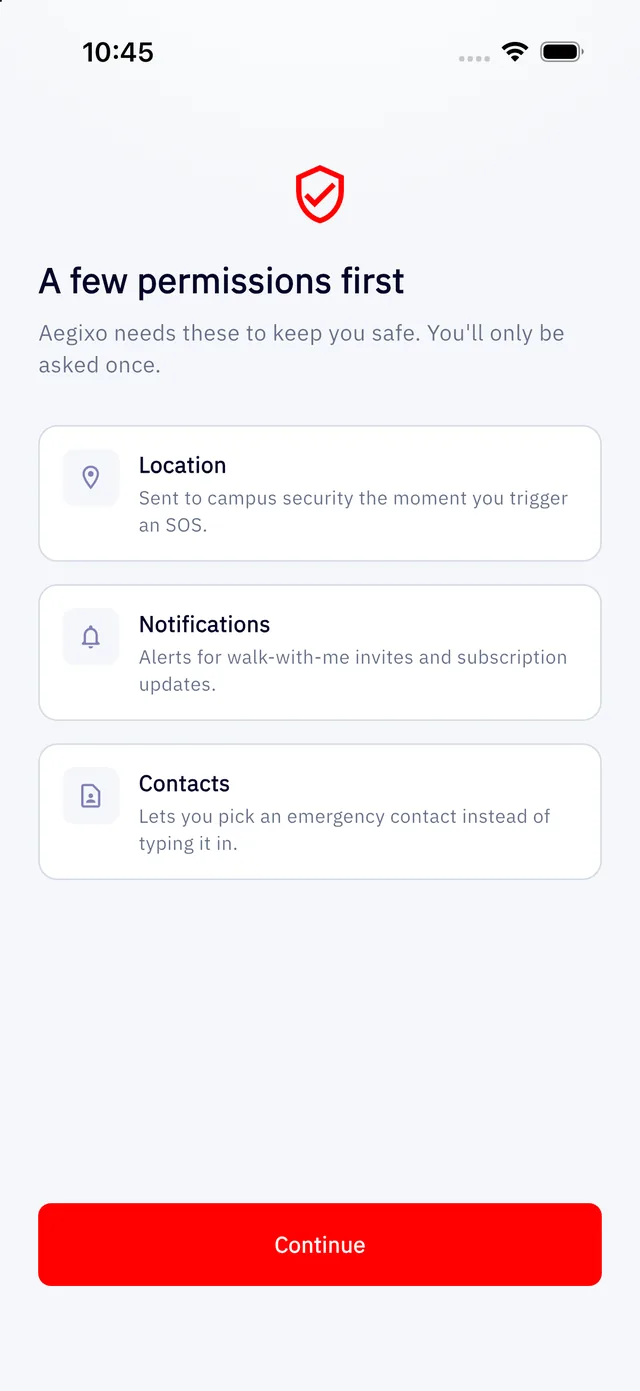
After you sign in, Aegixo shows a short screen explaining the permissions it needs. You are only asked once.
| Permission | Why | If you say no |
|---|---|---|
| Location | Sent to campus security the moment you trigger an SOS, and used for Walk with me and nearby services. | You cannot send an SOS. This is the one permission the core feature depends on. |
| Notifications | Walk with me invites and subscription updates. | You will not get those alerts, but SOS still works. You can check the bell inside the app. |
| Contacts | Lets you pick an emergency contact instead of typing the number. Aegixo reads only the contact you choose. | You can still type a contact's name and number by hand. |
Changing a permission later
Open your phone's Settings, find Aegixo and change the permission there. If location is switched off, the app will tell you when you try to send an SOS.
Aegixo asks for your location only when you use a feature that needs it. It never builds a history of where you have been. See Who can see my location?